![[Note]](../../common/icon_note.png)
|
|
|
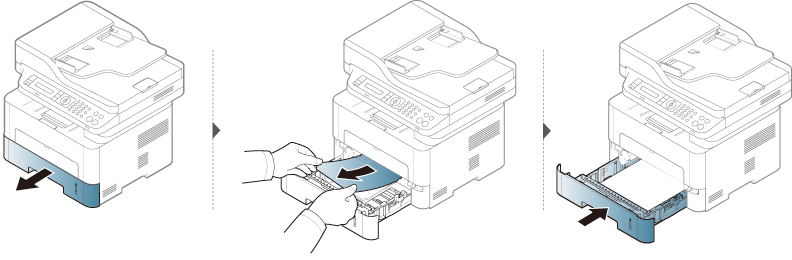
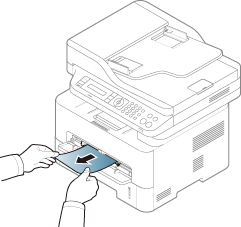
To avoid tearing the paper, pull the jammed paper out slowly and gently. |
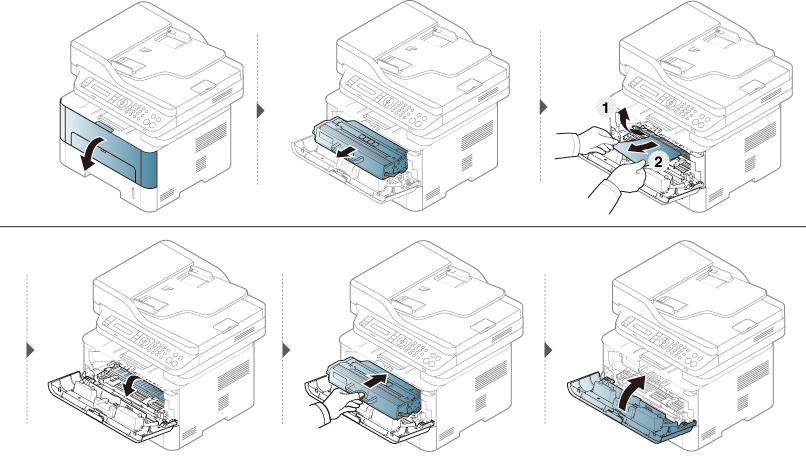
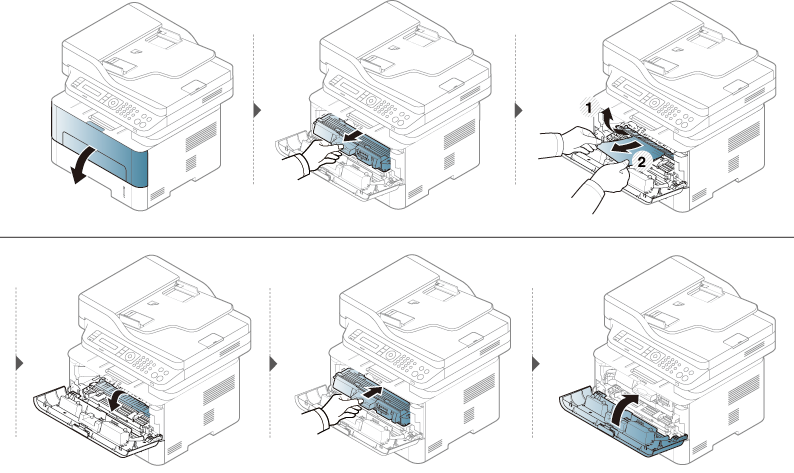
Inside the machine
|
|
|
|
The fuser area is hot. Take care when removing paper from the machine. |
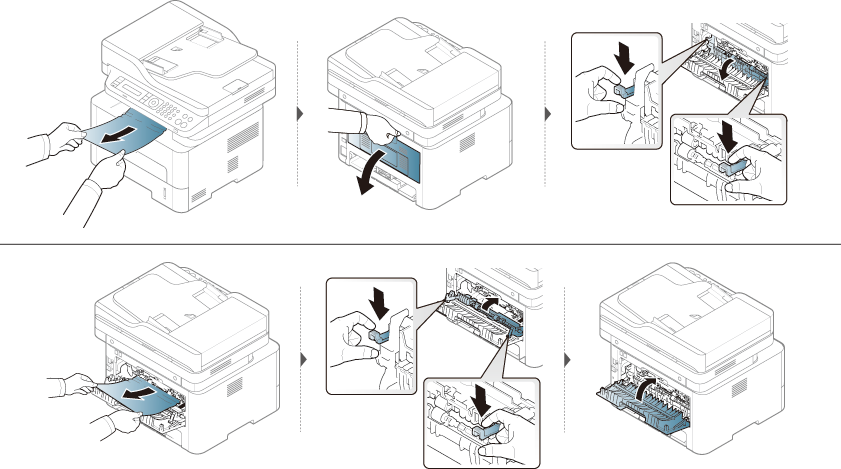
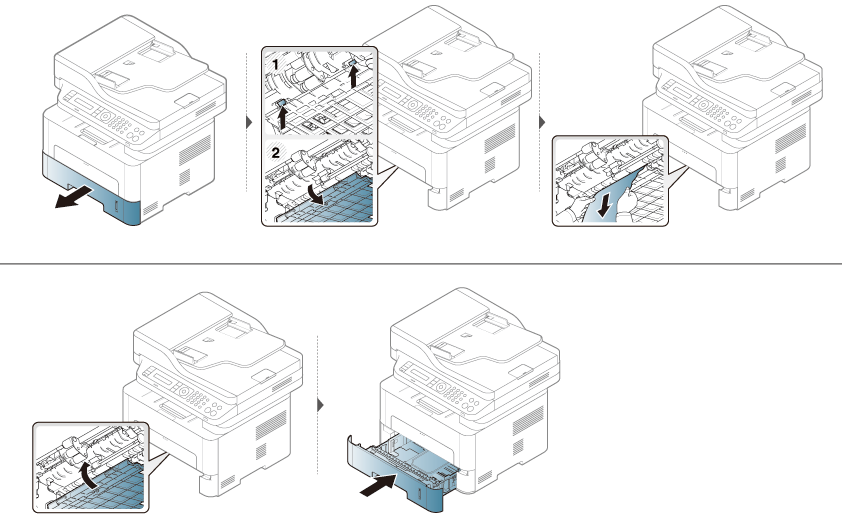
In the duplex unit area
 Click this link to
open an animation about clearing a jam.
Click this link to
open an animation about clearing a jam.
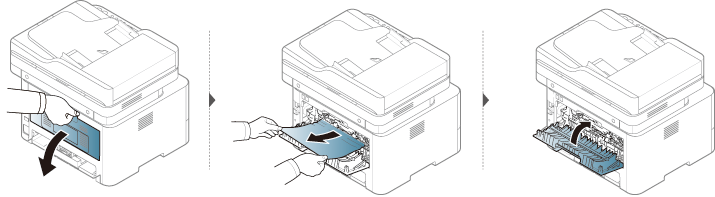
If you do not see the paper in this area, stop and go to next step: