A locally connected machine is a machine directly attached to your computer using the cable. If your machine is attached to a network, skip the following steps below and go on to installing a network connected machine’s driver (see Installing driver over the network).
![[Note]](../../common/icon_note.png)
|
|
|
Windows
-
Make sure that the machine is connected to your computer and powered on.
If the “” appears during the installation procedure, click to close the window.
-
Insert the supplied software CD into your CD-ROM drive.
If the installation window does not appear, click > > > .
X:\ replacing “X” with the letter, which represents your CD-ROM drive and click .
-
Select .
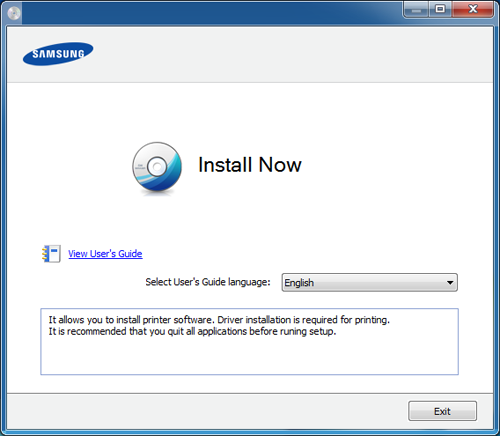
-
Follow the instructions in the installation window.
|
|
|
|
You can select the software applications in the Window. |